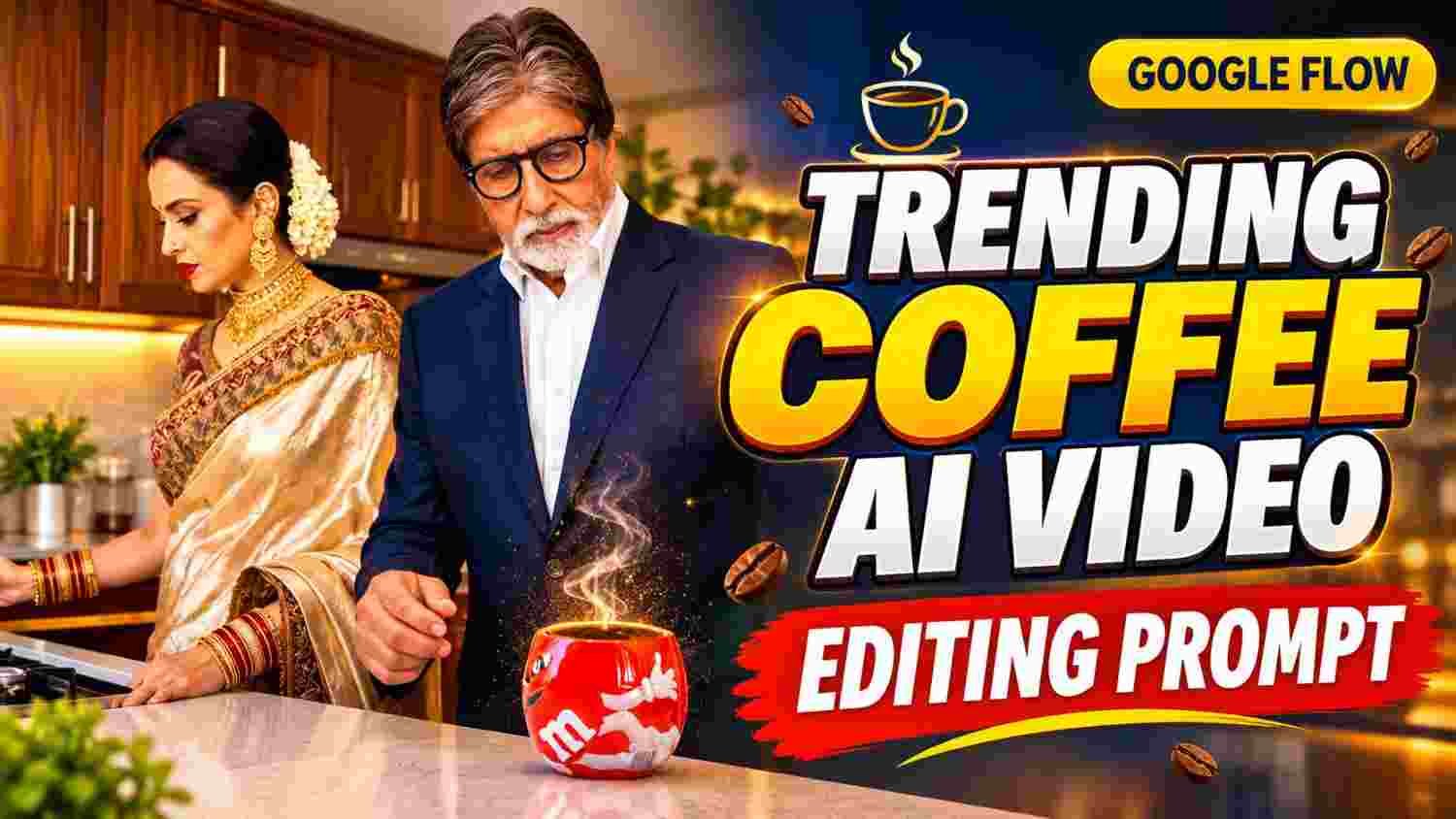
Some Instagram videos instantly grab your attention the moment you see them. Coffee AI Videos are becoming an interesting content style for creators who want to make their Reels look more creative and cinematic. With AI, you can transform an ordinary image into an engaging video featuring coffee preparation, rising steam, and realistic movements. The best part is that you do not need an expensive camera or a professional video shoot to get started.
AI tools can help you bring your creative ideas to life using images and text prompts. In this article, we will explore how to create a trending Coffee AI Video using Google Flow, choose the right image, and make the final result more attractive for Instagram Reels. Even beginners can follow these steps and experiment with their own creative ideas.
What Makes Coffee AI Videos So Special ?
A Coffee AI Video Editing is more than just an ordinary coffee scene. Its main attraction is the ability to make a still image appear alive through realistic movements. For example, a person might look at a coffee cup while steam gently rises from it, or their hands might move naturally while preparing coffee.
AI tools can create these effects and give the scene a cinematic appearance. Warm lighting, an attractive kitchen, close-up shots of coffee cups, and smooth camera movements can make the video feel more realistic. This style is especially useful for storytelling through short Instagram videos. However, simply using AI does not guarantee that a video will become popular.
Choosing a good image, writing an effective prompt, and presenting the scene in an engaging way are important factors that can make your content stand out from other videos.
How to Create a Coffee AI Video with Google Flow
- First, open Google Flow and start a new video project according to the available options.
- Choose a clear image in which the person, coffee cup, and surrounding environment are easily visible.
- Upload the image and write a detailed English prompt describing the movements and visual effects you want to create.
- For example, you can use this prompt: “A cinematic coffee-making scene, gentle hand movements, realistic rising steam from a coffee cup, warm kitchen lighting, smooth camera movement, natural expressions, highly realistic details.”
- Start the video-generation process using the available options.
- Once the result is ready, check whether the facial features, hand movements, and shape of the coffee cup look natural. If anything appears unusual, modify the prompt and try again.
- Finally, select your preferred result and prepare it for Instagram Reels. Following these steps can help you create an attractive Coffee AI Video.
Choose the Right Image for a Realistic Result
- Choosing the right image is one of the most important steps in creating a beautiful Coffee AI Video.
- Select an image with a clear face, natural hand positions, and a coffee cup that is easy to recognize.
- Images that are too dark, blurry, or filled with unnecessary objects may sometimes produce unexpected AI results.
- Environments featuring a kitchen, wooden cabinets, warm lighting, and a clean countertop work particularly well for coffee videos. You can use your own images or pictures you have permission to use.
- The image ratio is also important. A vertical 9:16 frame is suitable for Instagram Reels.
- Therefore, choose an image that keeps both the main character and the coffee cup clearly visible within the frame.
- A well-composed image makes the video-generation process easier and can reduce the need for extensive editing later. Small details can make a significant difference in the final result.
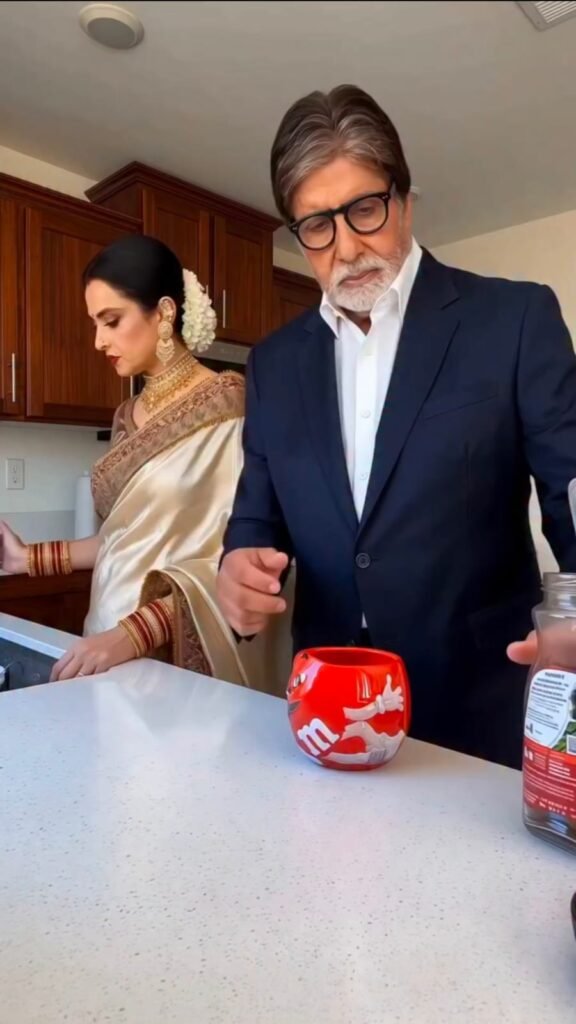
Create an ultra-realistic, 10-second cinematic video that faithfully recreates the original scene shown in @video1. Reproduce the same camera angle, framing, kitchen environment, lighting, object placement, character positions, body movements, hand gestures, facial expressions, action sequence, and comedic timing.

Reference usage must be strictly separated:

- @video1: Use exclusively as the reference for the kitchen environment, camera angle, composition, actions, movements, and sequence of events.
- @image2: Use exclusively as the identity and wardrobe reference for the character positioned on the RIGHT.
- @image1: Use exclusively as the identity and wardrobe reference for the character positioned on the LEFT.

CHARACTER IDENTITY AND APPEARANCE

CHARACTER 1 — @image2 (RIGHT SIDE)

Recreate the exact person shown in @image2, regardless of gender. If the photograph shows a man, recreate that exact man. If it shows a woman, recreate that exact woman.

Preserve all original facial characteristics, including:

- Facial structure and identity
- Eyes, eyebrows, nose, and lips
- Facial hair, if present
- Natural skin tone and texture
- Hairstyle, hair color, and hair length
- Natural body proportions and adult appearance

Maintain perfect facial identity consistency throughout the entire video, including head turns, side profiles, downward glances, facial reactions, and lighting changes.

Reproduce the exact clothing, colors, hairstyle, and accessories visible in @image2. Do not add, remove, replace, or modify any wardrobe elements.

CHARACTER 2 — @image1 (LEFT SIDE)

Recreate the exact person shown in @image1, regardless of gender. If the photograph shows a man, recreate that exact man. If it shows a woman, recreate that exact woman.

Preserve the person's original facial identity, facial structure, eyes, eyebrows, nose, lips, facial hair if present, skin tone, hairstyle, and natural body proportions.

Maintain consistent facial identity throughout every frame, movement, and expression.

Reproduce the exact clothing, colors, hairstyle, and accessories visible in @image1. Do not add, remove, replace, or modify any wardrobe elements.

STRICT IDENTITY AND WARDROBE SEPARATION

Treat @image1 and @image2 as the exclusive identity and appearance references for their respective characters.

- Never mix, swap, or blend their facial features.
- Never exchange their clothing, hairstyles, or accessories.
- Never change their gender based on their position or role.
- Do not copy the faces, hairstyles, clothing, jewelry, or accessories of people appearing in @video1.
- Do not introduce royal costumes, sarees, silk shawls, gold armor, necklaces, temple jewelry, armlets, heavy bangles, bindis, or royal hairstyles unless those exact elements are visible in the corresponding reference photograph.

Both characters must look exactly like their respective reference photographs from beginning to end.

KITCHEN ENVIRONMENT AND OBJECT CONTINUITY

Faithfully recreate the bright, modern home kitchen shown in @video1.

Preserve the dark wooden cabinets, large white speckled stone kitchen island, background details, lighting, shadows, and overall environment.

The following objects must be present and visually consistent:

- One red mug on the countertop.
- One large transparent glass jar filled with ground coffee.
- One steel kettle.
- One small spoon.
- One small white cup containing milk.

Maintain consistent object shapes, sizes, materials, positions, and reflections.

Objects must move only when physically handled by a character. All movements must follow the original reference video.

Coffee powder, spilled water, and milk must accumulate naturally on the countertop. Previously spilled materials must remain visible. Never reset the countertop, remove existing spills, or make objects disappear.

CAMERA ANGLE AND COMPOSITION

Match the original camera position, perspective, and framing of @video1 as closely as possible.

The camera must remain low at the edge of the kitchen island, looking slightly upward toward both characters.

Maintain these positions throughout the video:

- CHARACTER 1 (@image2): RIGHT.
- CHARACTER 2 (@image1): LEFT.

Preserve their relative distance from the camera, body positioning, and placement within the frame.

Use a natural handheld smartphone-video aesthetic with only the subtle camera behavior visible in the original reference.

Keep the same viewpoint for the entire 10-second video.

Strict camera restrictions:

- No zooming.
- No reframing.
- No angle changes.
- No additional camera movements.
- No transitions.
- No cuts or jump cuts.

EXACT ACTION SEQUENCE AND TIMING

0.0–1.5 SECONDS

CHARACTER 1 stands on the RIGHT and uses the small spoon to scoop ground coffee from the large glass jar.

At the same time, CHARACTER 2 stands on the LEFT and picks up the steel kettle.

Both characters maintain serious, natural facial expressions and follow the exact movements and timing of @video1.

1.5–2.5 SECONDS

CHARACTER 1 tips the spoon and deliberately drops the ground coffee directly onto the white countertop instead of putting it into the red mug.

Simultaneously, CHARACTER 2 pours hot water from the steel kettle onto the countertop near the mug.

Reproduce the original hand positions, pouring movements, body language, and timing.

2.5–4.0 SECONDS

CHARACTER 1 looks down at the spilled coffee powder and then turns toward CHARACTER 2 with a slightly puzzled expression.

CHARACTER 2 continues pouring water while maintaining a completely serious expression.

Match the original eye movements, head turns, and subtle facial reactions.

4.0–6.0 SECONDS

CHARACTER 2 looks down at the messy countertop before turning slightly toward the kitchen behind them.

CHARACTER 1 turns to look at CHARACTER 2 and then looks back down at the countertop.

Both characters maintain restrained, serious expressions. Preserve the original reaction timing.

6.0–7.5 SECONDS

CHARACTER 1 scoops another spoonful of ground coffee and drops it directly onto the countertop beside the red mug, creating a larger pile of brown coffee powder.

The red mug is moved aside in the same manner as shown in @video1.

The growing mess must remain clearly visible, with realistic coffee powder distribution and natural hand movements.

7.5–8.5 SECONDS

CHARACTER 2 picks up the small white cup containing milk and pours the milk directly onto the spilled coffee powder on the countertop.

The milk creates a noticeable white splash that spreads naturally across the stone surface and visibly mixes with the brown coffee powder.

CHARACTER 2 opens their mouth slightly in surprise, matching the original facial reaction.

Make the liquid movement, splashes, and mixing physically realistic.

8.5–10.0 SECONDS

CHARACTER 1 continues holding the spoon and picks up the red mug with the other hand.

They raise the mug and look toward CHARACTER 2.

CHARACTER 2 looks down at the mess with a serious expression.

End the video with the same character positions, camera framing, and understated comedic reaction as the original reference.

FACIAL EXPRESSIONS AND COMEDIC TIMING

The humor must come entirely from the contrast between the characters' serious expressions and their increasingly ridiculous coffee-making mistakes.

Both characters must:

- Maintain natural and believable facial expressions.
- Avoid laughing or smiling unnecessarily.
- Never speak, sing, or exaggerate their reactions.
- Maintain realistic eye contact and subtle facial movements.
- Follow the exact timing of every glance, head turn, gesture, and reaction.

Do not introduce any additional comedic expressions or actions that are not present in @video1.

VISUAL REALISM AND CONTINUITY

Maintain consistent facial identity, natural body proportions, clothing, hairstyles, and accessories in every frame.

Ensure that:

- CHARACTER 1 always remains on the RIGHT.
- CHARACTER 2 always remains on the LEFT.
- The original action sequence is reproduced without rearranging events.
- Hands, fingers, grip positions, and object interactions are anatomically accurate.
- Coffee powder falls naturally and accumulates realistically.
- Hot water and milk have physically believable liquid movement and splashes.
- The red mug, glass coffee jar, steel kettle, spoon, and white milk cup remain visually consistent.
- Kitchen lighting, reflections, shadows, background details, and camera perspective match @video1.
- No objects or existing spills disappear between frames.

Avoid distorted faces, identity drift, unnatural fingers, duplicated objects, floating utensils, incorrect hand positions, artificial movements, or inconsistent clothing.

STRICTLY PROHIBITED ELEMENTS

Do not introduce:

- Additional people or characters.
- New kitchen objects or decorations.
- Unnecessary background changes.
- Subtitles or captions.
- Logos or watermarks.
- Dialogue, singing, or lip-sync.
- Additional actions or exaggerated reactions.
- Scene transitions, jump cuts, or camera-angle changes.

FINAL VIDEO REQUIREMENTS

Generate one continuous, ultra-realistic, 10-second cinematic kitchen comedy video.

The final video must feature:

RIGHT: The exact person from @image2, with their original gender, facial identity, hairstyle, clothing, and accessories.

LEFT: The exact person from @image1, with their original gender, facial identity, hairstyle, clothing, and accessories.

Both characters may be male or female. Their gender and appearance must be determined exclusively by their respective uploaded photographs.

Faithfully recreate the original coffee-spilling sequence from @video1, including the exact order of events, character movements, facial reactions, object interactions, camera framing, and comedic timing.

Priority order:

1. Exact facial identity preservation.
2. Accurate wardrobe and accessory preservation.
3. Correct character positioning and identity separation.
4. Faithful recreation of the original kitchen environment.
5. Accurate action sequence and timing.
6. Realistic physical interactions, liquid splashes, and object continuity.
7. Natural smartphone-video realism.

FINAL GOAL: The generated video should look like genuine footage recorded in the original kitchen, featuring the two exact people from the uploaded photographs while faithfully reproducing the original scene, movements, and understated comedy of @video1.
Make the Video More Cinematic with Better Prompts
When writing prompts in Google Flow, simply typing “Make a coffee video” may not produce the result you have imagined. Instead, describe the important elements of the scene clearly. Explain what the character should do, how the coffee steam should rise, how the camera should move, and what kind of lighting you want.
A useful prompt could be: “The person gently prepares coffee, realistic steam rises from the cup, subtle hand movements, warm golden lighting, slow cinematic camera push-in, natural facial expressions, realistic textures.” Avoid adding too many complicated actions to a single scene. Keeping the instructions simple and specific can help the AI generate a more consistent result. If the first attempt does not look right, change particular parts of the prompt and try again. Making small adjustments helps you understand which instructions improve the video. With practice, you can create scenes that look more natural, polished, and visually appealing.
Edit Your Reel for a Professional Look
After generating your video, review it carefully before publishing it. Start by checking whether the opening scene is interesting enough to capture attention within the first few seconds.
If necessary, remove unnecessary portions to make the video shorter and more engaging. You can then add suitable background music, subtle sound effects, and clear English text that matches the scene. A gentle sound effect when steam rises from the coffee cup can make the video feel more immersive. Maintain the vertical 9:16 aspect ratio and keep important visual elements near the center of the frame so they are not hidden by Instagram’s interface.
Avoid using too many transitions or flashy effects, as they can distract viewers from the main scene. Instead, focus on smooth cuts, balanced lighting, and natural-looking movements. A clean and well-edited Reel can make your AI-generated content look more professional and enjoyable to watch.
Conclusion
Creating a trending Coffee AI Video with Google Flow becomes easier when you focus on choosing the right image, writing clear prompts, and carefully reviewing the results. Do not feel discouraged if your first attempt is not perfect. You can improve the outcome by adjusting the prompt, camera movement, or lighting description and experimenting with different ideas. Try to develop a consistent visual style so viewers can recognize your content.
When publishing your video on Instagram, write an engaging caption and use relevant hashtags to help people discover it. Instead of copying another creator’s video exactly, add your own creative ideas and personal touches. Following trends can be useful, but originality is equally important. Remember, attractive visuals, thoughtful editing, and a unique presentation can help you create more engaging content and gradually develop your own style as an AI video creator.