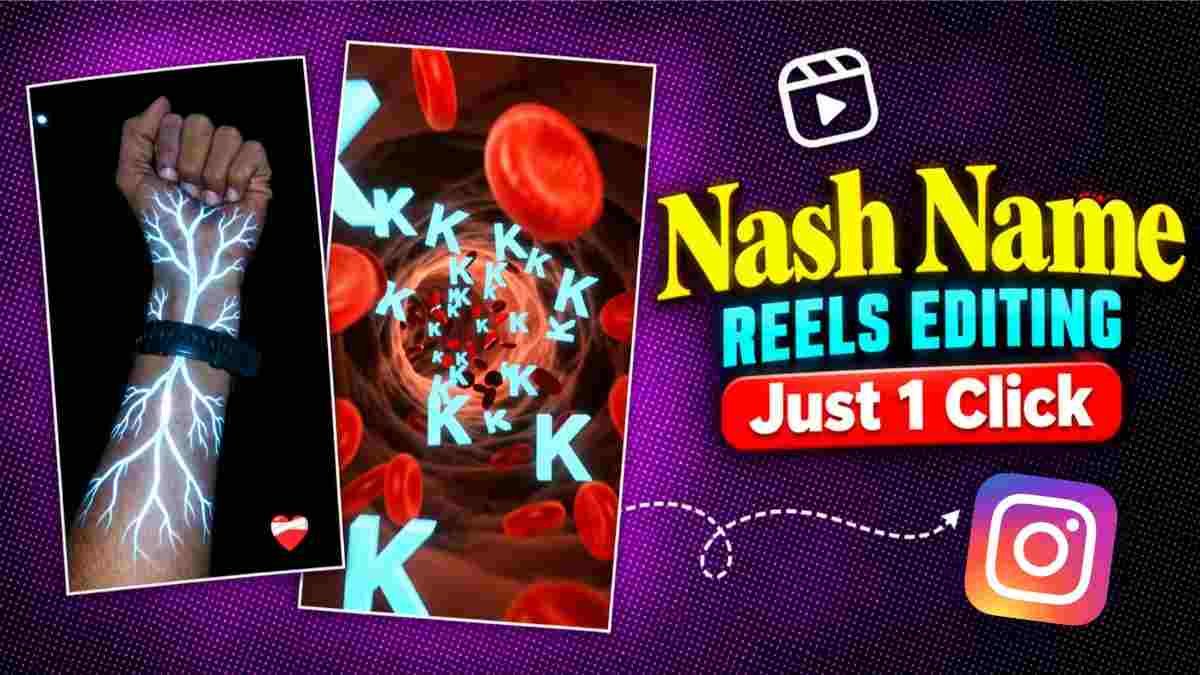
Nowadays, AI videos made with names are becoming popular on Instagram. People love to see their names with beautiful lights, colorful effects, and creative backgrounds. Instagram Viral Nash Name AI Video Editing is a fun way to turn an ordinary name into an attractive video. You can make your name appear with glowing lights, moving effects, and a stylish background.
You do not need to be an expert in video editing to try this trend. You can use Google Flow or Gemini to create your desired name visuals and video ideas. You can choose your own name, your friend’s name, or any other name you like. After creating the video, you can share it on Instagram Reels and other social media platforms. With a clear prompt and a little creativity, you can turn a simple name into a beautiful and eye-catching video.
Instagram Viral Nash Name Ai Video Editing
Everyone likes to see their name in a unique style. Instead of displaying it as ordinary text, imagine your name glowing in red, blue, or golden light. This can make your video look more attractive.
AI name videos can include many creative effects, such as a name slowly appearing in darkness, tiny glowing particles moving around the letters, or a name emerging through colorful smoke. You can choose the colors, lighting, and background according to your taste.
One of the best things about this Video Editing style is that you can use your imagination to create something new. Even the same name can look different with different effects and backgrounds. However, it is important to keep the spelling correct. Giving clear instructions to the AI can help you get a result that matches your idea more closely.
Create Your Own Viral Name Video
- First, decide which name you want to display in your video. Then, open Google Flow and choose the option for creating a new video.
- Write a simple prompt explaining how you want the name to appear, what colors you prefer, and what kind of background you want.
- For example, you can ask for a name that slowly appears in golden light against a dark background, with tiny glowing particles floating around it.
- Replace the sample name with your preferred name.
- Then submit your prompt to generate the video. Once the video is ready, watch it carefully and check whether the spelling is correct and the visual effects look good.
- If the result does not match your expectations, change the prompt and try again.
- By following this process, you can create a name video that matches your personal style and Instagram Viral Nash Name Ai Video Editing.
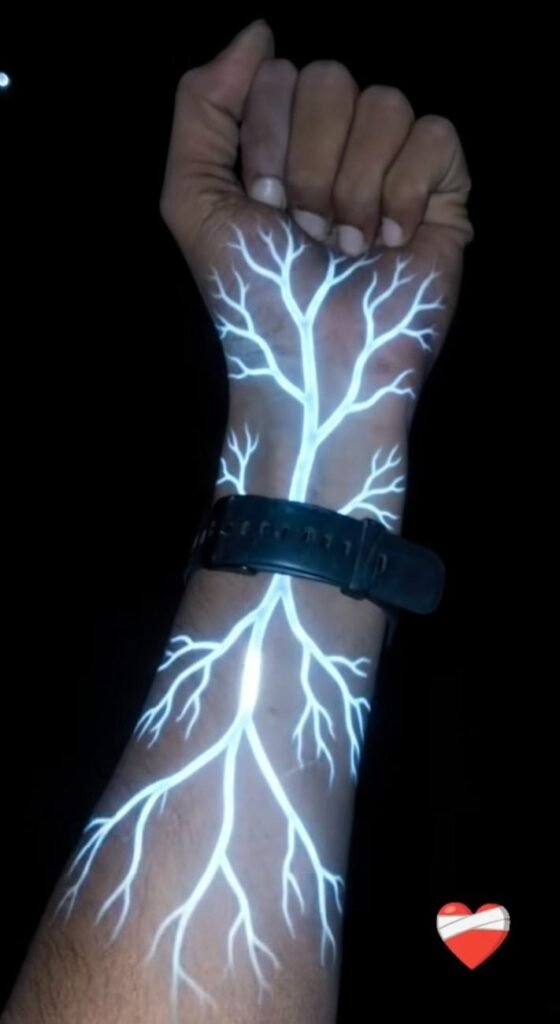
Create a cinematic, ultra-realistic 10-second video in vertical 9:16 format using the uploaded hand image as the exact visual reference. Preserve the original hand, closed fist, skin tone, finger positions, arm hair, sleeve, clothing, wristwatch, and background without changing their appearance.

During the first 2 seconds, show the original hand naturally, with a faint red-orange glow beginning beneath the wristwatch. Thin, glowing red-orange branches gradually spread along the forearm, creating a fictional energy effect beneath the skin. Keep the skin realistic and intact, with no wounds, blood, or damage.

From 2–4 seconds, make the glowing branches expand across the forearm with bright cores, soft luminous edges, tiny sparkling particles, and gentle pulses of light.

From 4–5 seconds, smoothly push the camera closer to the glowing branches and follow one bright line as the real forearm transitions seamlessly into a fully CGI microscopic tunnel.

From 5–7 seconds, reveal a deep red-orange 3D tunnel filled with translucent flowing strands, circular wave patterns, glowing particles, and tiny sparks. Move the camera continuously forward with smooth cinematic motion, realistic depth, and parallax.

From 7–10 seconds, introduce multiple floating 3D copies of the selected English letter [ENTER YOUR LETTER HERE]. Replace the placeholder with one letter, such as A, R, P, S, or M, and use that exact letter consistently throughout the tunnel. Give the letters luminous pale-orange outlines, subtle golden highlights, and a soft glow. Place them at different distances and sizes, with some floating past the camera and others remaining deeper inside the tunnel. Keep every letter correctly shaped, readable, and consistent.

Use rich red-orange lighting, volumetric glow, subtle reflections, realistic depth of field, and natural motion blur. Keep the opening hand photorealistic and the tunnel fully computer-generated. Avoid sudden cuts, camera shaking, or random movements.

Add cinematic electronic ambience, a deep atmospheric hum, rising energy sounds during the glowing effect, and a smooth futuristic whoosh during the tunnel transition. Synchronize the audio with the visuals. No dialogue or voice-over.

Strictly preserve the original hand, wristwatch, clothing, and background during the opening. Do not add extra letters, numbers, words, captions, subtitles, watermarks, unrelated objects, or scenes.

Final result: A seamless cinematic transformation from the original hand into a glowing red-orange futuristic tunnel filled with floating, luminous 3D copies of the selected English letter.
Why This Editing Style Is Worth Trying
Creating an AI name video has several advantages. First, you do not need to learn complicated editing techniques before getting started. You can explain your idea in simple words and let the AI attempt to create a video based on your instructions. Second, you can choose your favorite colors, lighting effects, and backgrounds to make your video more personal. This allows you to create different styles instead of repeating the same design.
Third, you can share your finished video on Instagram Reels, Stories, and other social media platforms. You can also create a special name video for a friend’s birthday or another memorable occasion. This editing style is a fun choice for people who enjoy trying new creative ideas. However, making a beautiful video does not guarantee that it will go viral. Video quality, audience interest, and the timing of your post can also make a difference.
Fix Common Problems Easily
Sometimes, an AI-generated video may contain spelling mistakes or display the name unclearly. If this happens, do not worry. Read your prompt again and correct the spelling of the name. Clearly instruct the AI to display only the exact name you provided. If unwanted text appears, ask the AI not to include any additional words or letters. If you do not like the colors, describe the colors you want more clearly. If Google Flow does not produce the result you expected, you can try creating the name visuals with Gemini. You may then use the generated image in a suitable video creation tool to continue your project. Remember that the first attempt may not always give you the perfect result. By making small changes to your prompt and trying different ideas, you can improve the final video.
Conclusion
Instagram Viral Nash Name AI Video Editing is a creative way to present your name in a new style. It allows you to combine ordinary text with glowing lights, colorful effects, and attractive backgrounds to create an eye-catching video.
You do not need advanced editing skills to get started. Begin by choosing your preferred name, then decide how you want the colors, lighting, and background to look.
Use Google Flow or Gemini to bring your idea to life. After generating the video, check the spelling and make sure the visuals look the way you want. Once everything looks good, share your creation on Instagram. This trend gives you an opportunity to explore new creative ideas while making something personal. So, choose your favorite name and start creating your own stylish AI name video.



1 thought on “Instagram Viral Nash Name Ai Video Editing”